Major Release 2026.03

back
News / Software Newsletter / Major Release 2026.03

Major Release 2026.03

The following chapters refer to new features of this release, in relation to the previous release. If a feature is already documented in detail in Confluence, the link can also be inserted in the respective chapters.

The following Windows version was tested with this release:
Windows 11 Pro 24H2  (2025-09-09 Build 26100.6584)
(https://docs.microsoft.com/de-de/windows/release-health/windows11-release-information)

General

The following features are included in this release:
Optimizations Configuration files

The storage location of the configuration files for the Kegelrad and MFL programs and their derivatives has been revised and is now also located in the familiar folder at C:\Workstations\Configuration\Software. When the MGB update is executed, the files are automatically moved from their previous location to the new location. 

Start process conversion

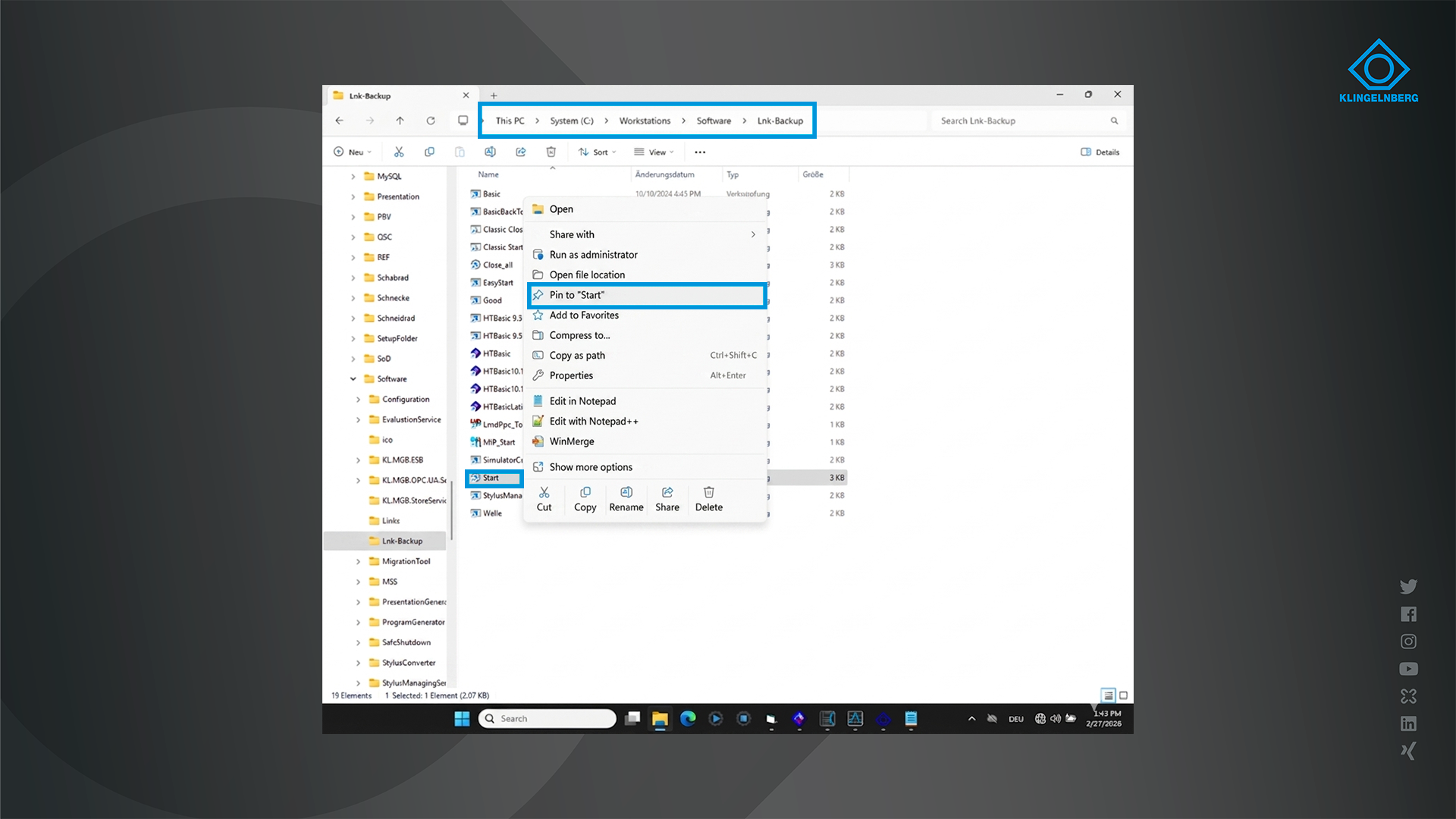
This release changes the software startup process. The VDCC component is no longer necessary and will be removed during the update. Please note: If links have been saved in the taskbar, they must be updated. To do this, proceed as follows:

  1. Remove existing icons from the taskbar. To do this, right-click on the icon and select “Unpin from taskbar.”
  2. Open the folder C:\Workstations\Software\Lnk-Backup.
  3. Right-click on “Start.”
  4. Select “Pin to Start.”
  5. Open the Windows menu.
  6. Drag and drop “Start” onto the taskbar.
  7. Repeat steps 3-6 for “Close all.”

PM Features

Internal file handling of miscellaneous files

File handling has been revised. Misc files are now read into memory and are no longer stored in the Misc folder.  This does not change the handling for the user.

Application end revised

The application can be terminated while in the “Pending” state without prompting, since no data can be lost in this state.


Revision of qs-STAT events

The event catalog is now loaded exclusively from the defined catalog file. It is no longer possible to reload it from the combined file received during the measurement.

Revision of the stamp

The standard stamps no longer include the “ControlFile” and “qs-STAT” fields by default. If these fields are required, they must be manually added to the stamp files and configured accordingly. The K field for this must be selected from a predefined list (K0054–K0063) to ensure QDAS compliance. Invalid stamps are no longer loaded to prevent errors in the qs-STAT file.

Error reduction through optimized data handling

When publishing, files are now written directly to the output folder – the detour through the %TEMP% directory has been completely eliminated. This eliminates yet another source of errors.

Output encoding of the qs-STAT file

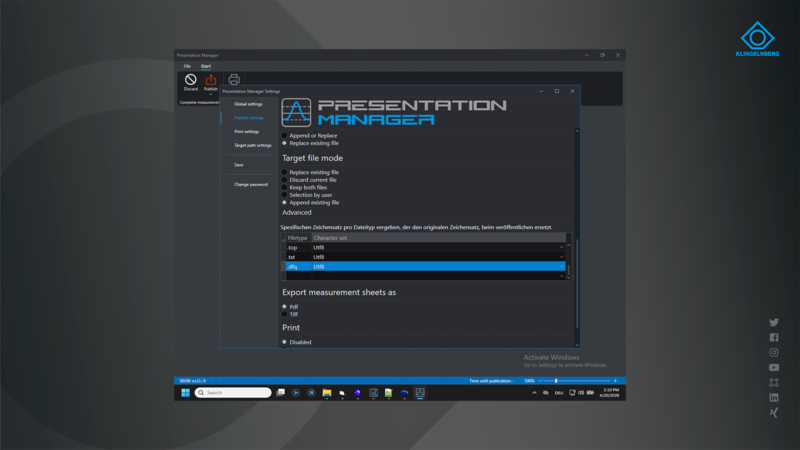
The output encoding for the qs-STAT file is now configured in the same way as for other file types and is no longer a separate option.

Optic Features

Before each measurement, the machine performs an automatic check for potential collisions with the optical sensor.

Shaft Features

ASCII export also for Special Gear measurements

The ASCII export now also includes the results of the special gear measurements.

Shaft curve module in INCH

The curve module did not function correctly when the measurement program was created in INCH. This has been fixed in this release.

Deactivation of Multiplot function

In the past, the Multiplot function offered the option of combining multiple measurement sheets on a single sheet. This function is no longer supported.

Removal of sorting function by identification number

Due to the conversion of the publication process to Presentation Manager, the sorting function by ID number is no longer supported and has been removed from the settings of the Welle program.

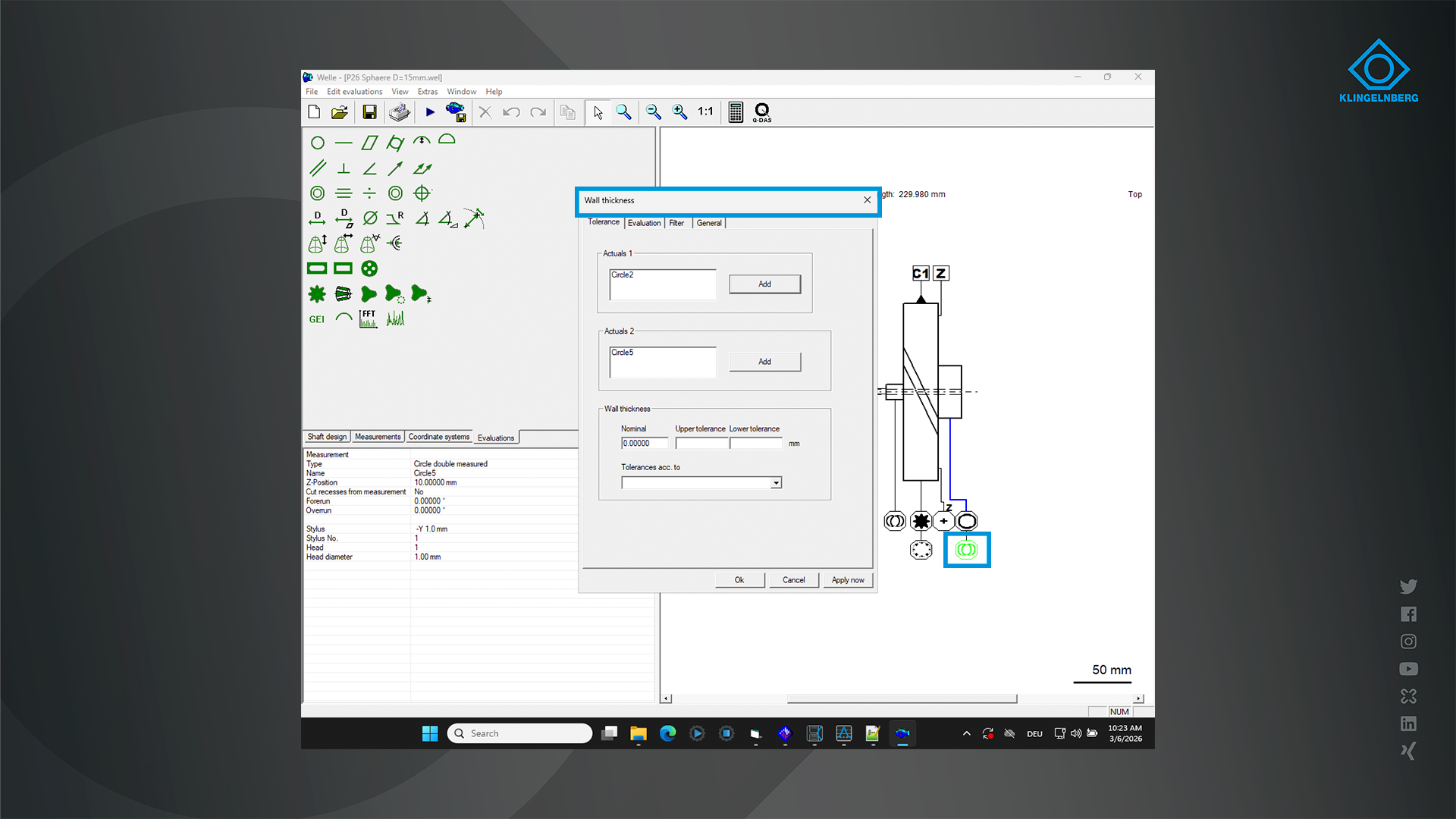
Double circle measurement permitted for wall thickness evaluation

Double circle measurement is now also permitted for wall thickness evaluation.

Adjustable acceleration for SCAN measurement tasks

The acceleration for SCAN measurement tasks can be controlled via the Welle.ini file. To do this, set or adjust the flag “SCAN_ACCELERATION=20”. The default value is 20%.

Other

Bugfixes

Cylindrical gear

  • Numerous bugs have been fixed in the spur gear software, and its stability has been further improved.


Shaft

  • General: A crash occurred when generating Dataset.txt if no coordinate system was defined
  • Special interlocking: In the inverted output of the form deviation – chart type “All Gaps” – only the counting direction was reversed. The measurement curve was not inverted. Additionally, the text “Inverted Output” was missing from the graph if the “Single Gap” graph type was selected.
  • Coordinate Systems: If measured values are reassigned to a coordinate system, no check is performed to verify whether the coordinate system was created correctly. The check only takes place when the dialog box is opened for the second time.
  • General: If a workpiece is started without first being saved, a crash occurs. This is now prevented by prompting the user to save the workpiece before starting the measurement. Otherwise, the process does not function correctly, as, for example, data for re-evaluation cannot be saved.